
How Meta Finds 'Most Likely Buyers': The 3-Layer Targeting Logic Explained (2026 AI Era)
In 2026, Meta's targeting logic has fully shifted from 'manual selection' to 'AI-driven calculation.' It's not about who you choose—it's about who the system calculates. Understand the 3-layer logic: Audience Pool, Behavior Signals, and Data Quality.
In 2025, Meta's ad targeting logic has evolved from the "manual targeting era" to the "AI-driven calculation era."
Your audience isn't "selected"—it's "calculated" by the system.
To master Meta advertising, you need to understand the 3-layer targeting logic that determines who sees your ads and whether they convert.
---The 3-Layer Targeting Logic: How Meta Finds Buyers
Layer 1: The "Audience Pool" (Meta CPO)
What the system CAN reach
Layer 2: The "Behavior Signals" Layer
Who is MOST LIKELY to convert based on recent actions
Layer 3: The "Data Quality" Layer (Most Critical)
How accurately the system can identify and expand to high-value users
Let's break down each layer.
---Layer 1: The "Audience Pool" — Maximum Reach
When you launch a campaign, Meta first defines the "audience pool"—the largest group of people your ads can potentially reach.
This pool is determined by:
- ✅ Country/Region (e.g., United States)
- ✅ Ad spend limit (budget constraints)
- ✅ Age/Gender (optional filters)
- ✅ Platform/Device type (Facebook, Instagram, mobile, desktop)
The Logic:
Meta starts with the largest possible pool and then filters down to high purchase intent users.
Key Principle: Don't artificially restrict the pool with narrow interest targeting.
Why?
Interest-based "small pools" miss many real buyers who don't fit your assumptions.
Example:
| ❌ Small Pool (Interest Targeting) | ✅ Large Pool (Broad Targeting) |
|---|---|
| Women 25-34, Interested in Yoga | Women 25-54, United States |
| Estimated reach: 500K | Estimated reach: 50M |
| Misses buyers who don't list "Yoga" as interest | Lets AI find buyers based on behavior, not assumptions |
The "audience pool" is the foundation of ad performance.
---Layer 2: The "Behavior Signals" Layer — High-Intent Filtering
Within the large audience pool, Meta uses behavior signals to filter for high-conversion users.
Core Behavior Signals:
1. Recent Purchase Behavior
- Has the user purchased recently?
- Have they browsed similar products?
- Have they searched multiple times for related items?
2. Brand Interaction Behavior (Critical)
- Have they engaged with your ads before?
- Have they interacted with your Page (likes, comments, shares)?
- Have they visited your website?
3. Off-Platform Behavior Data (Meta API)
- Website visits (tracked via Pixel/CAPI)
- Shopping behavior (add to cart, initiate checkout)
- Wishlist/Save actions
4. High-Value Actions (LVA)
- Frequently purchases new products
- Makes high-value purchases (high AOV)
- Shops during specific events (Black Friday, holidays)
The Logic:
Meta doesn't just find "people who might buy"—it finds "people most likely to convert soon" and ranks them by intent.
The closer a user is to a conversion action, the higher they rank in the delivery queue.
Example Ranking:
| User Type | Behavior | Priority |
|---|---|---|
| User A | Visited product page 3x in last 24 hours | Highest |
| User B | Added to cart 7 days ago, didn't purchase | High |
| User C | Engaged with your ad 30 days ago | Medium |
| User D | No prior interaction, but similar behavior to buyers | Low |
Meta prioritizes User A because they're closest to conversion.
---Layer 3: The "Data Quality" Layer — The Most Critical
This is the most important layer.
Meta only allocates premium traffic to advertisers with high-quality data signals.
Core Signal Quality Metrics:
1. Pixel Event Completeness
- Are all key events firing? (ViewContent, AddToCart, InitiateCheckout, Purchase)
- Is the Pixel installed correctly on all pages?
2. Conversions API (CAPI) Match Rate
- Is CAPI set up and firing correctly?
- Is the Event Match Quality score > 70%?
3. Landing Page Speed
- Does your page load in under 3 seconds?
- Is the mobile experience optimized?
4. High-Quality, Real Signal Data
- Are you sending accurate purchase values?
- Are you avoiding fake orders or test data?
The Logic:
Signal quality determines 3 critical outcomes:
Outcome 1: Can the System Identify High-Value Users?
If your data is dirty or inaccurate, the system can't distinguish real buyers from random clickers.
Result: Wasted budget on low-intent users.
---Outcome 2: Can the System Expand to Similar Audiences?
In the AI era, the core strategy is "Lookalike auto-expansion."
But this requires clean, high-value sample data.
Bad data = Bad lookalikes = Poor performance.
---Outcome 3: Can Your Ads Access Premium Inventory?
Weak signals → System doesn't trust you → You get low-quality placements → CPM increases → CTR drops → CVR collapses.
Strong signals → System trusts you → You get premium placements → CPM decreases → CTR increases → CVR improves.
---💡 Use Adfynx's AI Audit to Fix Signal Quality Issues
Adfynx's AI Audit automatically scans your setup and flags:
- ✅ Missing Pixel events
- ✅ Low CAPI Event Match Quality scores
- ✅ Server-side tracking errors
- ✅ Duplicate or test data contaminating your signals
Saves hours of manual debugging.
---Final Conclusion: Control Signals = Control Audience
Meta's targeting isn't "selection"—it's "calculation."
The 3-layer logic determines whether your ads succeed:
| Layer | What It Does | Your Control |
|---|---|---|
| Layer 1: Audience Pool | Defines maximum reach | Give the system space (broad targeting) |
| Layer 2: Behavior Signals | Finds high-intent users | Help the system with quality creatives |
| Layer 3: Data Quality | Determines precision | YOU control this (Pixel, CAPI, landing page) |
Whoever controls signal quality controls who the system targets.
---Stage-by-Stage Optimization Strategies
Understanding the 3 layers is only the first step.
Now let's break down how to optimize at each campaign stage.
---Stage 1: Early Phase (Day 1-3) — "Audience Pool Exploration"
What the System Is Doing:
- ✅ Exploring the largest possible audience pool
- ✅ Testing different user segments
- ✅ Testing behavior layer responses
- ✅ Testing whether your signals are clean
Common Data Patterns (Normal Behavior):
| Metric | Early Performance | Why |
|---|---|---|
| CPM | High | System hasn't secured premium placements yet |
| CTR | Unstable/Fluctuating | Creatives are being tested across segments |
| CPA | High | System hasn't locked onto high-value users |
| ATC (Add to Cart) | Low/Unstable | Sample size too small |
| CVR | Low/Fluctuating | Behavior model not yet established |
| ROAS | Low, doesn't scale with budget | High randomness |
This is NORMAL. Don't panic.
---What You Should Do:
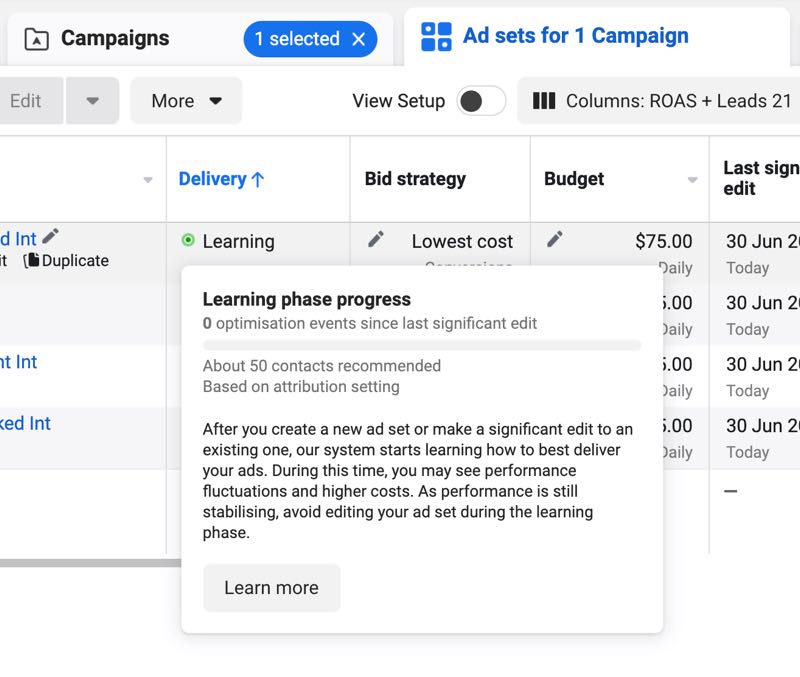
✅ Don't Touch Anything for the First 7 Hours
- Don't adjust creatives
- Don't change targeting
- Don't modify budget
Why? Every change forces the system to restart learning.
---✅ Ensure You Have Enough Creative Variations
- Upload 6-10 creatives (images + videos)
- Give the system options to test
Too few creatives = Limited testing space = Slower learning.
---✅ Verify Signal Layer Completeness
- Check Pixel events in Events Manager
- Verify CAPI is firing correctly
- Test landing page speed (aim for < 3 seconds)
💡 Use Adfynx's AI Audit to automatically check your setup and catch errors before they waste budget.
---✅ Don't Judge Success by Early ROAS
Early ROAS is random luck, not predictive.
The system is still exploring. Wait until Day 5-7 to evaluate.
---Stage 2: Mid Phase (Day 5-7) — "Behavior Layer Scaling"
What the System Is Doing:
After successfully exploring creatives, the system enters the "behavior layer phase" and starts finding "most likely buyers."
- ✅ Focuses on high-behavior, high-signal users
- ✅ Replicates similar behavior audiences
- ✅ Reduces new audience testing
- ✅ Lowers CPM
- ✅ Improves CVR
Data Changes You'll See:
| Metric | Trend | What It Means |
|---|---|---|
| CPM | Gradually decreasing | Secured premium placements |
| CTR | Stabilizing | Found "easy, high-quality" users |
| CPA | Noticeably dropping | High-value users increasing |
| ATC | Stabilizing | Behavior layer locked in |
| CVR | Increasing | Quality sample established |
| ROAS | Stable/Rising | Sample is profitable |
This is the "sweet spot" phase.
---What You Should Do:
✅ Keep Budget Stable (Let the System Scale the Sample)
- Increase budget by no more than 20% every 3 days
- Larger increases force the system to restart behavior layer learning
Example:
| Day | Budget | Action |
|---|---|---|
| 1-5 | $50/day | Initial testing |
| 6-8 | $60/day | Increase 20% |
| 9-11 | $70/day | Increase 17% |
| 12+ | $85/day | Increase 21% |
✅ Add Creatives, But Don't Delete Existing Ones
- Deleting creatives = Destroying part of the exploration
- Add new creatives to cover more audience types
- Let the system decide which to prioritize
✅ Start Optimizing CVR (Conversion Rate)
The behavior layer brings high-intent users.
Now, landing page quality determines whether they convert.
Optimize:
- Page load speed
- Mobile experience
- Checkout flow
- Trust signals (reviews, guarantees)
✅ Monitor Signal Layer Stability
- Check CAPI Event Match Quality (is it increasing?)
- Monitor API/Pixel consistency
- Watch for duplicate or fake orders
💡 Use Adfynx's Smart Reports to track signal quality trends over time and catch issues early.
---Stage 3: Late Phase (Day 7+) — "Signal Feedback Loop"
What the System Is Doing:
The system enters the "signal feedback phase" and:
- ✅ Segments high-value users
- ✅ Increases quality user percentage
- ✅ Auto-expands to similar purchase audiences
- ✅ Stabilizes ROAS and costs
Data Patterns (Split by Signal Quality):
| Metric | Good Signals | Bad Signals |
|---|---|---|
| CPM | Stable and low | Continuously rising |
| CTR | High and stable | Fluctuating downward |
| ATC | Consistently stable | Declining |
| CVR | Stable data | Clearly dropping |
| ROAS | Increasingly stable | Cliff drop |
This is where signal quality makes or breaks your campaign.
---What You Should Do:
✅ If Signals Are Good: Scale Aggressively
- Increase budget by ≤20% every 3 days
- Create duplicate ad sets to expand capacity
- Don't touch what's working
✅ If Signals Are Bad: Fix the Root Cause
Don't blame the audience. It's a signal problem.
Step 1: Optimize Creatives
- Inaccurate creatives lower signal quality
- Test new angles that better match your actual buyers
Step 2: Check Signal Quality
- Is your Pixel firing correctly?
- Is CAPI Event Match Quality dropping?
- Are you seeing duplicate data or fake orders?
Step 3: Don't Change Audience Targeting
- The problem isn't the audience
- The problem is signal quality
Step 4: If Necessary, Rebuild the Campaign
- Let the system establish a healthy model from scratch
- Sometimes a fresh start is faster than fixing a broken campaign
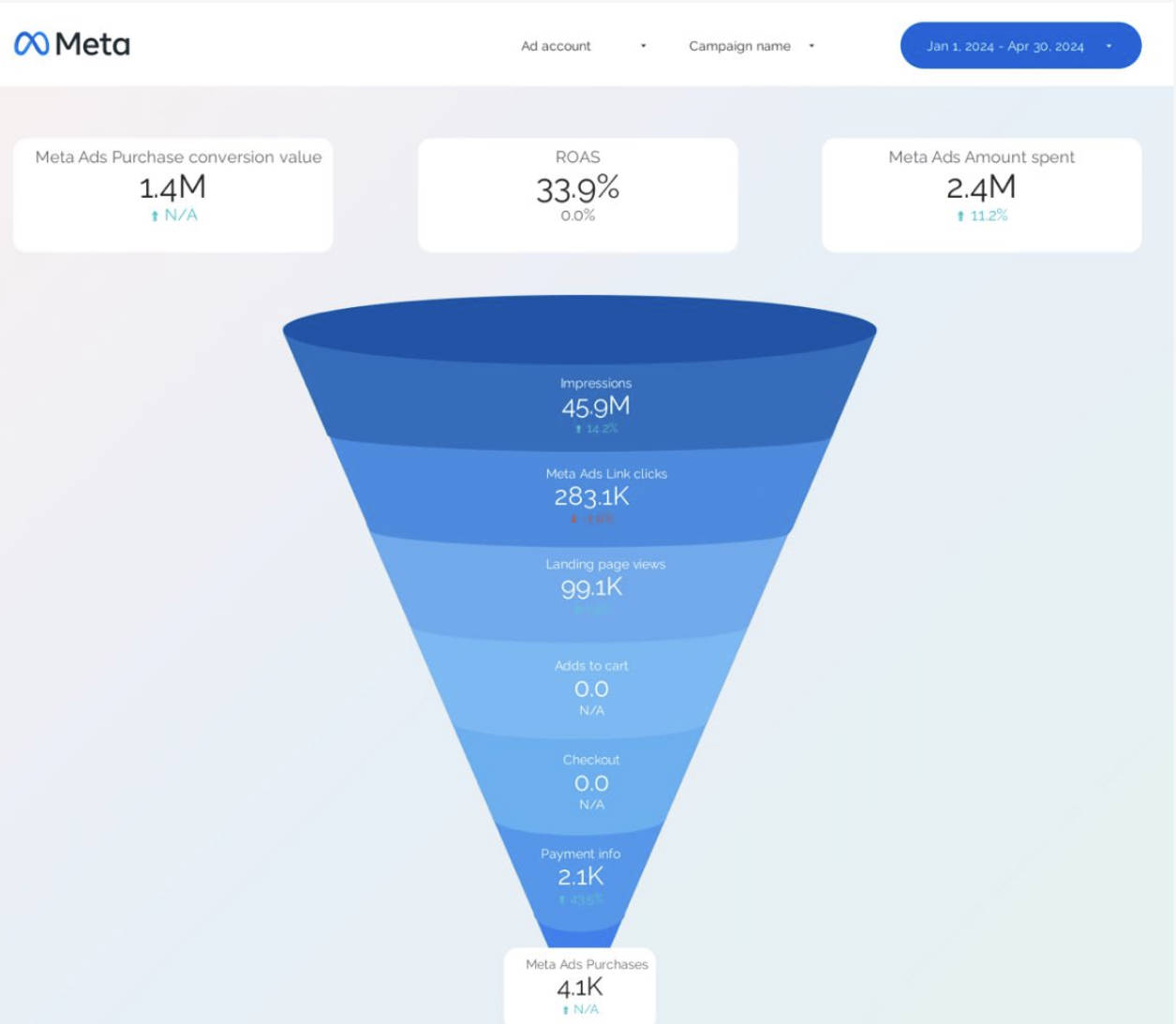
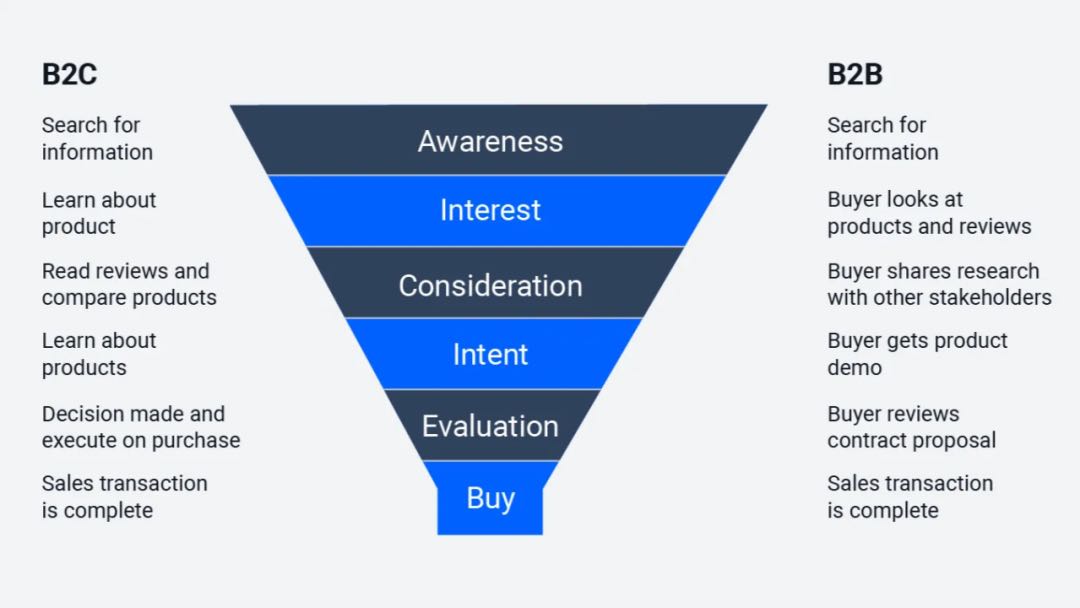
 ---
---
💡 Use Adfynx's AI Chat Assistant to Diagnose Issues
Ask:
- *"Why is my ROAS dropping after Day 10?"*
- *"Is my signal quality causing performance issues?"*
- *"Should I rebuild this campaign or keep optimizing?"*
Get instant, data-driven answers without guessing.
---Summary: Core Actions for Each Stage
| Stage | Goal | Key Actions |
|---|---|---|
| Early (Day 1-3) | Audience Pool Exploration | Don't touch settings, test creatives, verify signals |
| Mid (Day 5-7) | Behavior Layer Scaling | Expand sample, add creatives, optimize landing page |
| Late (Day 7+) | Signal Feedback Loop | Scale if good, fix signals if bad, stabilize budget |
The 3-Layer Logic in Action: Real Example
Let's see how the 3 layers work together in a real campaign.
Campaign Setup:
- Product: Fitness tracker
- Budget: $100/day
- Objective: Purchase conversions
Day 1-3: Audience Pool Exploration
Layer 1 (Pool):
- Broad targeting: Adults 25-55, United States
- Estimated reach: 150M people
Layer 2 (Behavior):
- System tests different user segments:
- Health & wellness content engagers
- Wearable tech browsers
Layer 3 (Signals):
- Pixel firing correctly ✅
- CAPI Event Match Quality: 75% ✅
- Landing page speed: 2.1 seconds ✅
Performance:
- CPM: $18 (high, normal)
- CTR: 1.2% (unstable)
- CPA: $45 (high)
- ROAS: 1.5x (low, random)
Action: Wait. Don't change anything.
---Day 5-7: Behavior Layer Scaling
Layer 2 (Behavior):
- System identified high-intent users:
- Users who added similar products to cart
- Engaged with competitor ads
Layer 3 (Signals):
- System receives clean conversion data
- Builds lookalike audiences automatically
Performance:
- CPM: $12 (dropped 33%)
- CTR: 2.1% (stabilized)
- CPA: $28 (dropped 38%)
- ROAS: 2.8x (profitable)
Action: Increase budget to $120/day (+20%). Add 3 new creative variations.
---Day 10+: Signal Feedback Loop
Layer 2 (Behavior):
- System auto-expands to similar high-value users
- Focuses budget on top-performing segments
Layer 3 (Signals):
- High-quality purchase data feeds back into the algorithm
- System refines targeting further
Performance:
- CPM: $10 (stable, low)
- CTR: 2.4% (high, stable)
- CPA: $22 (optimal)
- ROAS: 3.5x (scaling profitably)
Action: Continue scaling by 20% every 3 days. Monitor signal quality.
---How Adfynx Helps You Master the 3-Layer Logic
Understanding the theory is one thing. Executing it consistently is another.
Adfynx gives you the tools to optimize all 3 layers:
1. AI Chat Assistant: Understand Your Campaign Phase
- Ask: *"Is my campaign in exploration or scaling phase?"*
- Ask: *"Why is my CPM increasing after Day 10?"*
- Ask: *"Should I increase budget or fix signals first?"*
- Get instant answers with phase-specific recommendations
- Understand which layer needs optimization
2. AI-Generated Reports: Track Layer Transitions
- Automatic reports showing exploration → scaling → feedback phases
- CPM, CTR, CPA, CVR, ROAS trends with context
- Identifies when you're ready to scale
- Flags when signal quality degrades
3. Video Creative Analyzer: Optimize Layer 2 (Behavior Signals)
- Upload your video ads for analysis
- See which hooks attract high-intent users
- Get scored on elements that drive quality traffic
- Optimize creatives to improve behavior layer performance
4. Audience Intelligence: Master Layer 1 (Audience Pool)
- See which demographics convert best
- Identify high-quality vs. low-quality audience segments
- Get recommendations for audience expansion
- Optimize your pool strategy based on real data
5. AI Optimization Recommendations: Execute Across All Layers
- System analyzes all 3 layers and suggests actions
- Tells you when to scale, pause, or optimize
- Provides layer-specific recommendations
- Automated playbook for each campaign phase
👉 Try Adfynx Free and master Meta's 3-layer targeting logic.
---Final Thoughts
Meta's targeting logic in 2025 is simple:
1. Layer 1 (Pool): Give the system space (broad targeting)
2. Layer 2 (Behavior): Help the system find high-intent users (quality creatives)
3. Layer 3 (Signals): Control who you reach (clean data)
The advertisers who win are those who:
- ✅ Understand the 3-layer logic
- ✅ Optimize signal quality relentlessly
- ✅ Let the AI do its job (don't micromanage)
The advertisers who lose are those who:
- ❌ Fight the algorithm with narrow targeting
- ❌ Ignore signal quality issues
- ❌ Make impulsive changes during exploration phase
Which side will you be on?
---Related Resources:
- Meta Andromeda Algorithm: Why Your ROAS Is Dropping
- Facebook Andromeda Algorithm: Common Issues & Quick Fixes
- Facebook Ads 2025: Complete Guide from Creative to Budget
Ready to master Meta's targeting logic? Try Adfynx free and let AI-powered analytics guide your optimization at every stage.
You May Also Like
ROAS Crashing? Meta's AI 'Super Brain' Andromeda Is Here—Your Old Tactics Are Obsolete
If your precise interest targeting isn't scaling anymore or your ROAS is unstable, it's not you—Meta replaced its 'CPU.' The old playbook of manual targeting and hunting for the perfect creative is dead. Welcome to the AI-driven Andromeda era.
The 'Crazy Method' for Facebook Ads Scaling in 2026: How to Duplicate Ad Sets Without Killing Your ROAS
Finally got a profitable ad running, tried to increase budget, and watched your CPA spike and ROAS crash? Learn the 'Crazy Method'—duplicate 3-5 ad sets to give Meta's algorithm multiple 'lottery draws' at finding high-converting audience pools, scaling without hard budget increases.

ROAS Isn't the Result—It's the System's Signal to Scale You
Most advertisers treat ROAS as the final verdict. But ROAS isn't the outcome—it's your 'scaling permission slip.' You think it's telling you how your ads performed. Actually, it's telling the system: 'This ad deserves more reach.'
Subscribe to Our Newsletter
Get weekly AI-powered Meta Ads insights and actionable tips
We respect your privacy. Unsubscribe at any time.